
Download KeyBlaze Typing Tutor – Free Typing Trainer for Windows, Mac, iOS & Android
Overview: Why KeyBlaze Is the Ideal Typing Coach for All Skill Levels
KeyBlaze Typing Tutor is a purpose‑built learning tool that helps anyone—from complete beginners to seasoned professionals—boost typing speed, accuracy, and confidence. The software combines a structured curriculum, instant performance feedback, and visual finger‑placement cues to create a comprehensive typing education experience. Whether you are a student preparing for exams, a writer looking to cut down on transcription time, or a remote worker who needs to type faster without sacrificing accuracy, KeyBlaze delivers measurable results in a short amount of time.
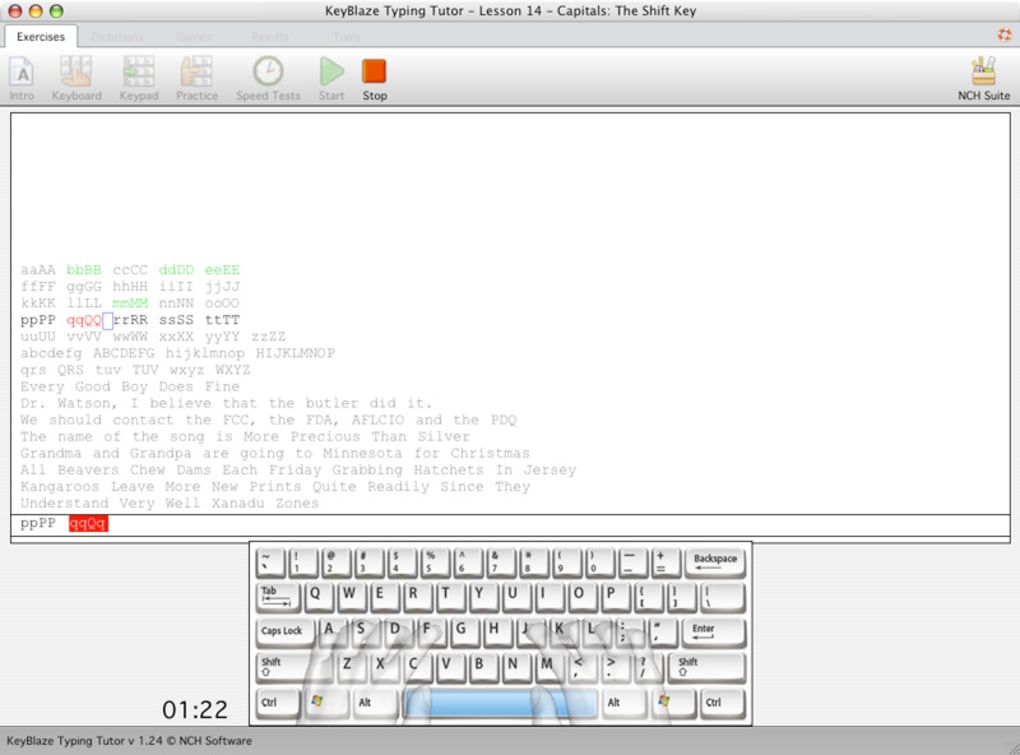
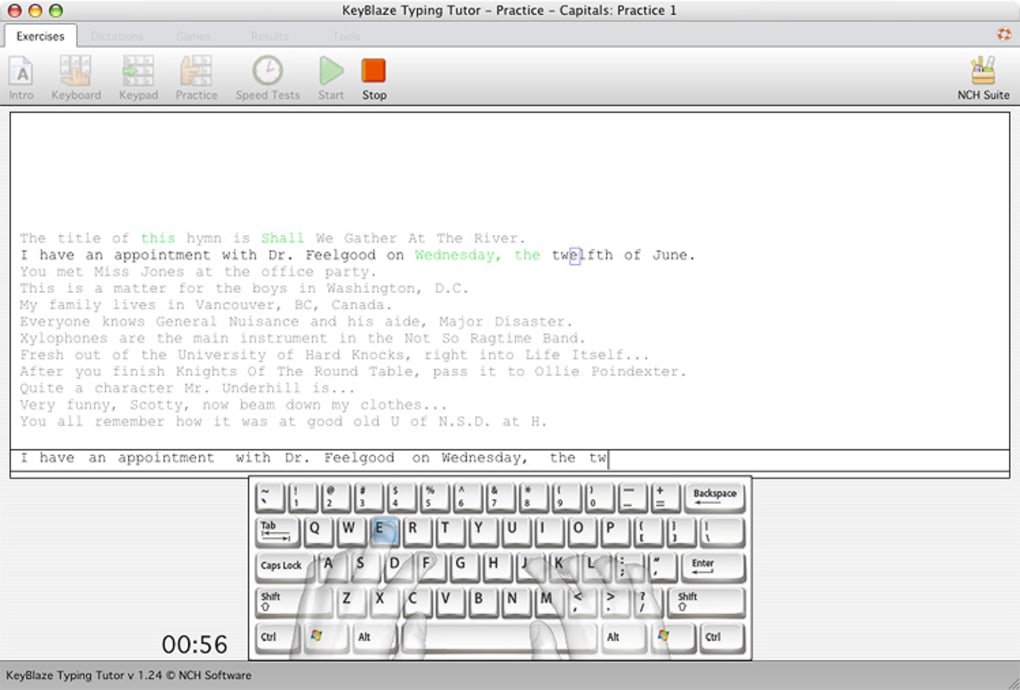
What sets KeyBlaze apart from generic typing games is its pedagogical approach. Lessons are organized into progressive levels, beginning with simple home‑row drills and advancing to full‑sentence re‑typing exercises. Each lesson is accompanied by on‑screen graphics that highlight the ideal finger for every key, reinforcing proper ergonomics and reducing the risk of repetitive‑strain injuries. The application tracks both speed (words per minute) and error rate, generating a clear grade after each session so you can see improvement at a glance.
Another strong point is the flexibility of the platform. KeyBlaze runs on Windows, macOS, Android, and iOS, meaning you can practice on a desktop at home, a laptop in a café, or even on a mobile device while commuting. The software is lightweight, runs offline after the initial download, and stores progress locally, ensuring your data remains private and secure. With a free version that includes a solid set of core lessons and an affordable upgrade for advanced modules, KeyBlaze offers a cost‑effective pathway to typing mastery.
In short, KeyBlaze Typing Tutor is more than just a speed‑test; it is a full‑featured educational suite that adapts to your personal learning pace, provides visual guidance, and delivers actionable feedback—all while keeping the experience fun and engaging.
Key Features That Make KeyBlaze Stand Out
- Progressive Lesson Structure: Starts with basic home‑row drills, moves through numeric keypad, punctuation, and culminates in full‑passage re‑typing.
- Real‑Time Accuracy & Speed Metrics: Displays words‑per‑minute (WPM) and error percentage after each exercise.
- Finger‑Placement Graphics: On‑screen diagrams show the optimal finger for every key, reinforcing proper ergonomics.
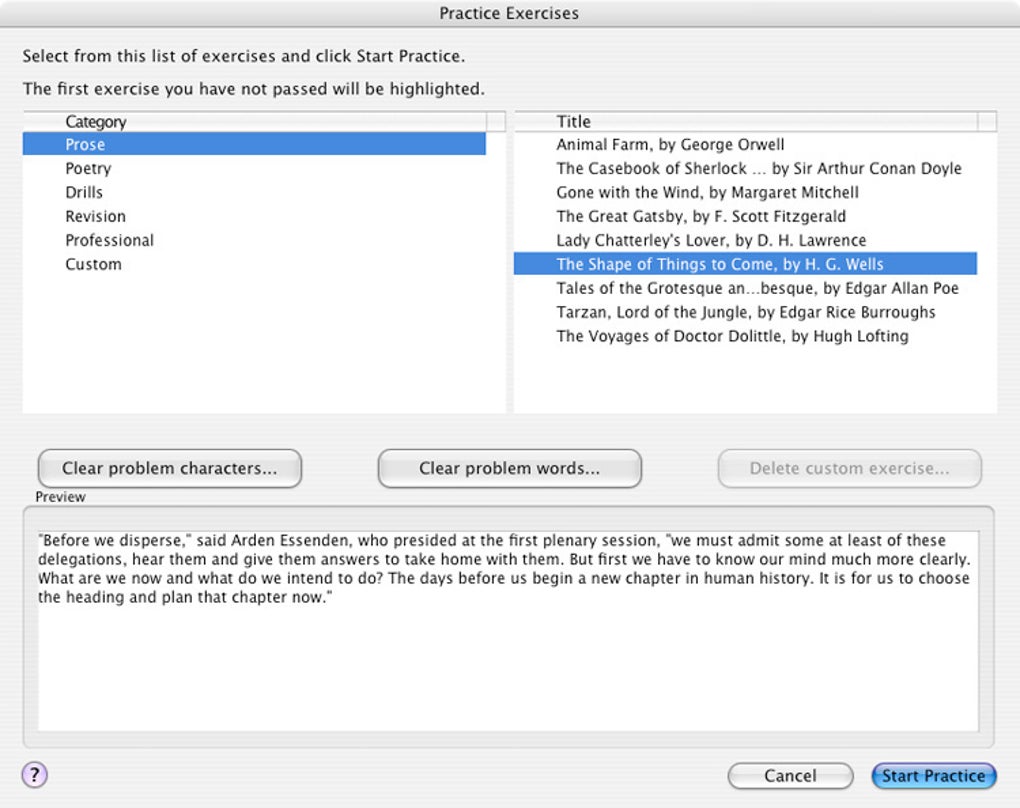
- Custom Text Import: Users can upload their own documents or web articles to practice typing content that matches real‑world needs.
- Multi‑Platform Support: Available for Windows, macOS, Android, and iOS, with synchronized progress when using the same account.
- Adaptive Difficulty: The program automatically adjusts lesson difficulty based on your performance, ensuring you are constantly challenged.
- Progress Reports & Certificates: Detailed charts track improvement over weeks and months; high‑scoring users receive printable certificates.
- Gamified Elements: Earn badges for milestones such as “First 30 WPM” or “Zero Errors for 5 Consecutive Lessons.”
- Secure Offline Mode: After download, the app works without an internet connection, keeping your practice data private.
- Affordable Upgrade Path: The free version covers core lessons; a one‑time payment unlocks premium modules, additional languages, and advanced analytics.
Each of these features has been carefully engineered to address common pain points in typing education. For example, the adaptive difficulty system prevents frustration by never presenting a lesson that is too easy or too hard, while the finger‑placement graphics reduce the learning curve for new typists. The ability to import custom text is especially valuable for professionals who need to type industry‑specific terminology, allowing them to practice directly on relevant content. Moreover, the cross‑platform nature means you can switch devices without losing progress—a convenience that many competitors lack.
Overall, the feature set creates a holistic learning environment that supports both short‑term skill gains and long‑term retention, making KeyBlaze a versatile tool for anyone serious about improving their typing proficiency.
Installation & Usage Guide – Getting Started in Minutes
Step‑by‑Step Installation
- Visit the official KeyBlaze website or your device’s app store (Microsoft Store, Mac App Store, Google Play, or Apple App Store).
- Click the “Download” or “Get” button. The installer size is under 100 MB, ensuring a quick download even on slower connections.
- For Windows/macOS, run the downloaded installer and follow the on‑screen prompts: accept the license agreement, choose an installation folder, and click “Install.”
- On mobile devices, the app installs automatically after the download completes.
- Launch KeyBlaze. The first launch will ask you to create a free account or continue as a guest. Creating an account enables cloud backup of your progress and access to premium upgrades.
First‑Time Configuration
Upon opening the app, you will be guided through a short onboarding questionnaire that determines your current typing level and preferred learning pace. Based on your answers, KeyBlaze recommends an initial lesson path—usually a quick home‑row drill to calibrate the finger‑placement graphics. You can skip the questionnaire and start with the “Beginner” track if you prefer a manual approach.
How to Use the Core Interface
The main dashboard displays four primary sections: “Lesson Library,” “Progress Tracker,” “Custom Text,” and “Settings.” Selecting “Lesson Library” opens a list of categories (Home Row, Numbers, Symbols, etc.). Each lesson shows an estimated time, target WPM, and difficulty rating. Clicking a lesson starts a timed typing session where the text appears in a large, high‑contrast font, and a virtual keyboard highlights the next key to press.
During the session, a real‑time meter shows your current WPM and error count. After completion, a detailed summary appears, including:
- Overall speed (WPM)
- Accuracy percentage
- Most mistyped keys
- Suggested next lesson based on performance
All results are stored in the “Progress Tracker,” which visualizes trends over days, weeks, and months using line graphs. This data is crucial for identifying plateaus and celebrating breakthroughs.
Compatibility Across Operating Systems
KeyBlaze Typing Tutor is compatible with the following platforms:
- Windows 10, Windows 11 (64‑bit)
- macOS 10.15 Catalina and later
- Android 8.0 Oreo and later
- iOS 13 and later (iPhone & iPad)
System requirements are modest: a minimum of 2 GB RAM, 200 MB of free disk space, and a standard keyboard (or the on‑screen keyboard for mobile devices). The app runs smoothly on both high‑end workstations and modest laptops, making it accessible to students, freelancers, and corporate teams alike.
Pros, Cons, and Frequently Asked Questions
Pros
- Intuitive, step‑by‑step lesson progression.
- Clear visual finger‑placement guides reduce bad habits.
- Cross‑platform support ensures seamless transition between devices.
- Offline mode protects privacy and allows practice without internet.
- Custom text import tailors practice to real‑world needs.
- Free version provides ample core content; premium upgrade is reasonably priced.
Cons
- Advanced analytics (heat maps, detailed error breakdown) are only in the paid version.
- No built‑in speech‑to‑text feature for hands‑free practice.
- Mobile UI can feel cramped on very small screens.
FAQ – Answers to Common Queries
Is KeyBlaze free or do I need to pay for a license?
KeyBlaze offers a fully functional free version that includes all basic lessons and progress tracking. A one‑time purchase unlocks premium modules, advanced analytics, and additional language packs.
Can I use KeyBlaze without an internet connection?
Yes. After the initial download, the app works completely offline. Your progress is saved locally, and you can sync to the cloud later when you reconnect.
Does KeyBlaze support multiple languages?
The free version supports English lessons. Premium upgrades add Spanish, French, German, and other language packs, each with localized instructions and custom texts.
How accurate are the speed and error measurements?
KeyBlaze measures words per minute based on a standard 5‑character word definition and tracks every keystroke to calculate an exact error percentage. The metrics are comparable to industry‑standard typing tests.
Can I import my own documents for practice?
Yes. The “Custom Text” feature lets you paste or upload plain‑text files (.txt) and practice typing any content you choose, which is ideal for work‑related material or personal projects.
Conclusion: Take the First Step Toward Faster, More Accurate Typing
KeyBlaze Typing Tutor delivers a balanced mix of education, motivation, and convenience that makes it one of the most effective typing tools on the market today. Its structured lessons, real‑time feedback, and finger‑placement graphics address the core challenges that slow typists face, while the cross‑platform availability ensures you can practice wherever you are. Whether you opt for the free version or decide to upgrade for premium content, you’ll notice measurable improvements within just a few weeks of regular use.
Because the software works offline and stores data locally, you can trust that your progress remains private—a valuable feature for schools and enterprises that prioritize security. The ability to import custom texts also means the learning experience can be tailored to any profession, from writers and programmers to data entry specialists.
Ready to boost your typing speed and reduce errors? Download KeyBlaze Typing Tutor today and start your journey toward 60 WPM or more. Take advantage of the free trial, explore the lesson library, and see for yourself how quickly you can type with confidence and precision.







